
Download Blogo – desktop blog editor, free, secure posting tool
Overview
Blogo is a lightweight desktop application that brings the power of online blogging platforms straight to your computer. Designed for serious writers who want a clean, distraction‑free workspace, Blogo combines a minimalist interface with a surprisingly deep set of publishing tools. Whether you’re running a WordPress site, a Blogger blog, a TypePad journal, or even a Tumblr micro‑blog, Blogo lets you compose, preview, and publish posts without ever opening a web browser.
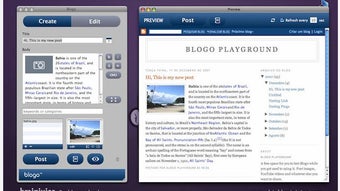
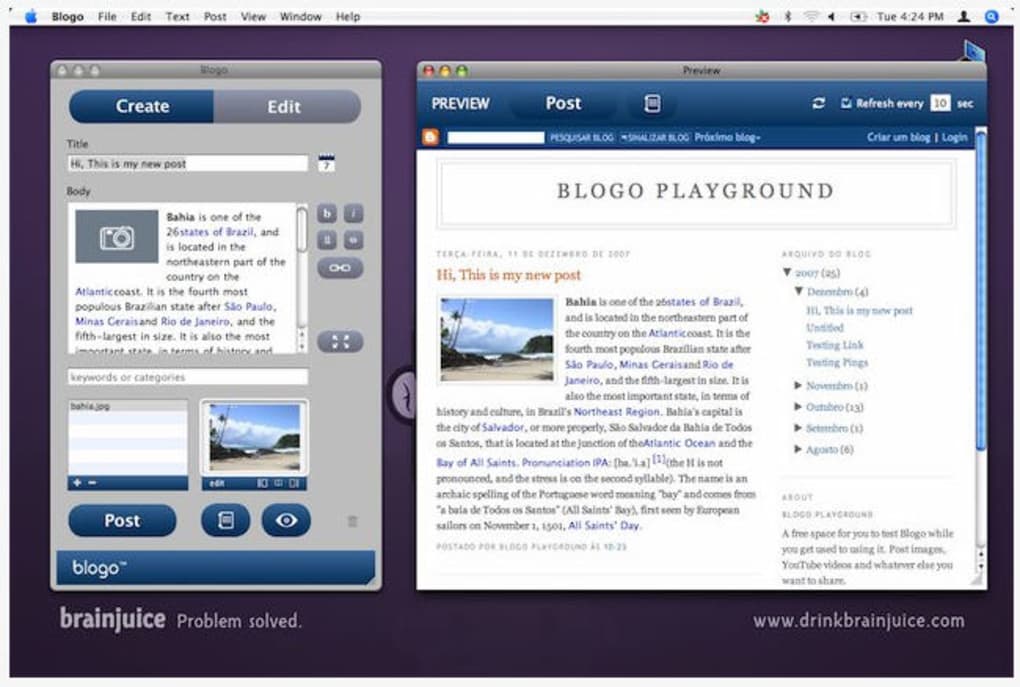
The app is split into two main panels—“Edit” for drafting and “Create” for new posts—while a collapsible side window provides quick access to your existing entries. Drag‑and‑drop support for images, HTML snippets, and video embeds means you can enrich your content in seconds, and a built‑in preview pane shows exactly how the post will appear once it goes live. Although the UI feels a little unconventional at first, the learning curve is short, and the ability to manage multiple accounts from one place makes Blogo a compelling addition to any blogger’s toolkit.
Key Features
- Multi‑service support: Seamlessly connect to WordPress, Blogger, TypePad, Tumblr, and several other major blogging platforms.
- Dual‑panel workspace: Separate “Edit” and “Create” sections keep drafting and publishing workflows distinct.
- Side‑window post browser: Quickly search, view, and edit existing posts from a slide‑out panel.
- Rich media handling: Drag‑and‑drop images, videos, and HTML snippets directly into the editor.
- Live preview: Real‑time rendering of your post shows exactly how it will look on the web.
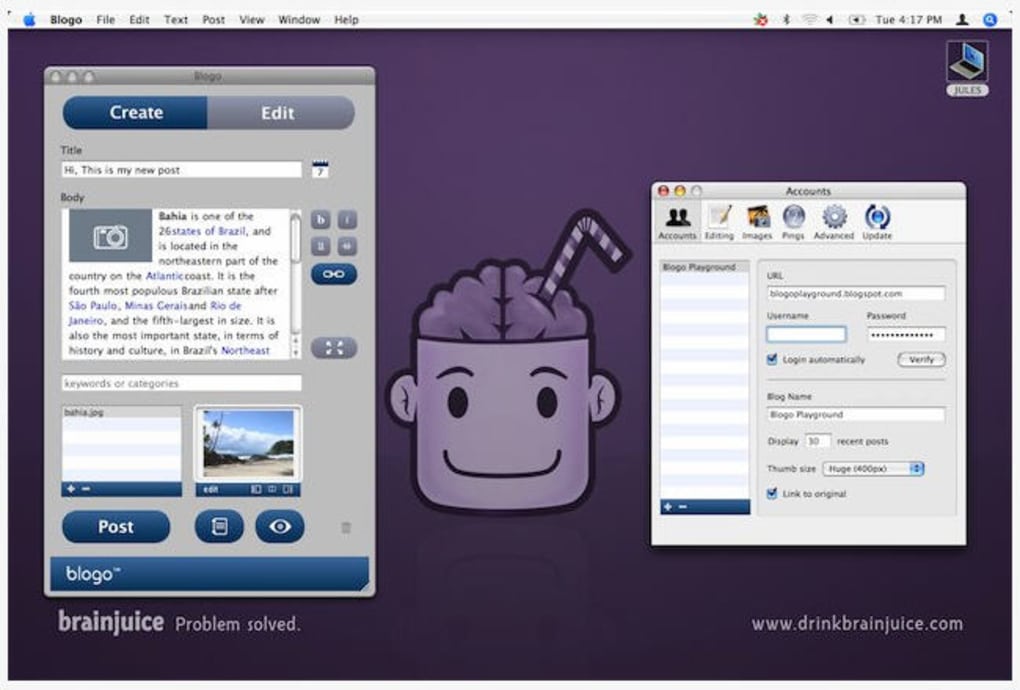
- Account manager: Save multiple blog credentials and switch between them with a single click.
- Service comparison chart: If you haven’t chosen a blog host, Blogo displays a helpful chart with direct sign‑up links.
- Extended video support: Dailymotion, Metacafe, and other video sites are supported via the “Send to Blogo” bookmarklet.
- Twitter integration: Updated interface includes retweets, reply‑to‑all, and URL shortening via goo.gl.
- Growl notifications: Optional sticky alerts keep you informed about replies and publishing status.
Installation, Usage & Compatibility
Getting started with Blogo is straightforward. Download the installer from the official website—choose the macOS version for Apple computers or the Windows executable for PC users. The installer is signed with a valid certificate, ensuring a secure, malware‑free installation. Once the download completes, run the installer and follow the on‑screen prompts; the process typically finishes in under two minutes.
After launching Blogo for the first time, you’ll be greeted by a setup wizard that asks you to add your blog accounts. Simply select the service you use (WordPress, Blogger, etc.), enter your username and password, and let Blogo verify the connection. If the wizard encounters a connection hiccup, double‑check your API keys or enable “Allow less secure apps” in your blog’s security settings. The app also offers a handy “Test Connection” button so you can confirm everything works before you start writing.
Using Blogo is intuitive. The left sidebar houses the “Create” button for new posts, while the central pane displays the editor. The toolbar includes standard formatting options (bold, italics, lists) plus buttons for inserting media, hyperlinks, and custom HTML. To attach an image, drag the file from Finder or Explorer onto the editor; Blogo automatically uploads it to your blog’s media library and inserts the appropriate tag. For video embeds, click the “Insert Video” icon, paste the video URL, and Blogo generates the embed code compatible with your platform.
When you’re ready to publish, click the “Send to Blogo” button. A confirmation dialog appears, letting you add categories, tags, and a custom excerpt. The built‑in preview pane updates in real time, so you can spot formatting issues before they go live. After publishing, Blogo displays a confirmation message and offers a quick link to view the post in your web browser.
Blogo runs natively on macOS 10.12 or later and Windows 7 through Windows 11 (both 32‑bit and 64‑bit). The application is built with cross‑platform frameworks, ensuring consistent performance across operating systems. System requirements are modest: at least 200 MB of free disk space, 2 GB of RAM, and an internet connection for publishing. No additional runtime (such as Java) is needed, and the app integrates with the native file‑dialogues of each OS for a seamless experience.
Pros, Cons & Frequently Asked Questions
Pros
- Supports all major blogging services in one unified interface.
- Drag‑and‑drop media handling speeds up content creation.
- Live preview eliminates guesswork before publishing.
- Multiple account management saves time for multi‑bloggers.
- Free to download and use, with regular updates adding new features.
Cons
- Initial UI may feel unfamiliar to users accustomed to native macOS apps.
- Occasional connection errors with newer API versions require manual troubleshooting.
- Lacks built‑in SEO analysis tools found in some competing editors.
- Advanced formatting (custom CSS) requires manual HTML editing.
- No native mobile companion; the app is desktop‑only.
Is Blogo really free to use?
Yes, Blogo is completely free. You can download, install, and use all core features without paying a single cent. Optional donations are accepted to support continued development.
Which blogging platforms are supported?
Blogo works with WordPress, Blogger, TypePad, Tumblr, and several smaller platforms. It also supports creating and editing WordPress pages, not just posts.
Can I edit posts that I already published?
Absolutely. Use the side‑window browser to locate an existing post, click “Edit,” make your changes, and re‑publish. Blogo updates the post in place, preserving comments and statistics.
How does Blogo handle image uploads?
Images can be dragged directly into the editor or added via the “Insert Image” button. Blogo uploads the file to your blog’s media library and inserts the proper HTML tag automatically.
Is there a way to preview my post before publishing?
Yes. The live preview pane shows a rendered version of your post as you write, mirroring the look and feel of the final published article.
Conclusion & Call to Action
Overall, Blogo delivers a solid, free desktop solution for anyone who takes blogging seriously. Its ability to centralize multiple accounts, coupled with a clean editing environment and real‑time preview, makes daily publishing faster and less error‑prone. While the interface may feel slightly unconventional at first, the productivity gains quickly outweigh the initial learning curve. If you’re looking for a secure, free way to draft and publish content without juggling multiple browser tabs, Blogo is worth a download. Click the button below to get the latest version, set up your accounts, and start writing from the comfort of your desktop.
Download Blogo now and experience a smoother blogging workflow today.
Blogo offers a polished desktop experience for multi‑bloggers, with strong media handling and a responsive preview. Minor UI quirks and occasional API hiccups keep it from a perfect score, but its free price tag makes it an excellent choice for both hobbyists and professionals.







